Podcasts & audiobooks
How to make a podcast or audiobook louder on iPhone
Quick answer
For episodes you stream in a podcast app, use the app's own loudness feature (Overcast Voice Boost, Pocket Casts Volume Boost, Apple Podcasts has none). For episodes, audiobook chapters or lectures you have as files (MP3, M4A, MP4 in Files or iCloud Drive), open them in Increase Volume, turn on Improve Audio Quality, boost ×3–×10, compare Original and Processed, and tap Download Processed to save a louder copy you can play in any app.
Spoken-word audio has a loudness problem: podcasts are supposed to be mastered around −16 LUFS, but independent shows, university lecture recordings and older audiobooks are often far quieter, and one quiet guest can be buried under a loud host. On a commute or in a car, that means constantly reaching for the volume.
The right fix depends on where the audio lives: inside a streaming app, or as a file you control.
Streaming inside a podcast app
You cannot edit audio that lives inside a streaming app, but several players apply real-time loudness processing:
- Overcast: Voice Boost normalises and compresses speech; turn it on per show or globally.
- Pocket Casts: Volume Boost and Trim Silence in the playback effects.
- Castro, Spotify: Spotify has Normalize volume (Settings → Playback); Castro has Enhance Voices.
- Apple Podcasts: no loudness feature. Use Settings → Music → Sound Check for music only; it does not apply to Podcasts.
These features only work while playing inside that app. They do not change the file, so nothing improves if you move the episode elsewhere.
Files you have downloaded
Many podcasts offer a direct MP3 download from their website, lecture platforms export MP3 or MP4, and DRM-free audiobooks (Libro.fm, Downpour, LibriVox, your own rips) arrive as MP3 or M4B. Once a file is in Files or iCloud Drive, Increase Volume can open it, multiply the level up to ×10, and save a new copy. The Improve Audio Quality toggle is designed for speech, which makes this the ideal case for it.
Audible, Apple Books and Kindle audiobooks, and downloads inside Apple Podcasts or Spotify, are copy-protected and cannot be imported by any third-party app.
Choosing a multiplier for spoken word
| Source | Typical multiplier |
|---|---|
| Professionally produced podcast that is just a bit soft | ×1.5 – ×2 |
| Independent show or interview with a quiet guest | ×3 – ×5 |
| Lecture or meeting recording made from a distance | ×6 – ×10 |
| Old audiobook rip | ×2 – ×4 |
Step by step: boost an episode or chapter
For files in Files, iCloud Drive, Dropbox or received by mail.
-
1
Add the file
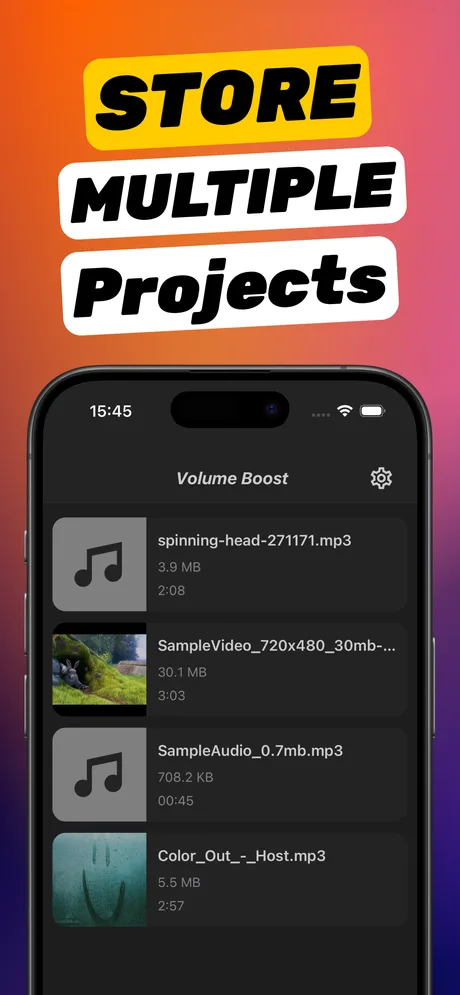
Open Increase Volume and add the episode from Files, or long-press the file in Files → Share → Increase Volume.
-
2
Turn on Improve Audio Quality
It is speech; the toggle keeps consonants clear when boosted.
-
3
Set the multiplier
Use the table above as a guide, then tap Boost Volume.
-
4
Compare
Toggle Original/Processed on the loudest part (intro music, a laugh).
-
5
Download Processed
Save to Files. Play the boosted file in Files, in the Books app (for audiobooks) or in any player that opens local audio.
Do it in Increase Volume
Free on the App Store. Import, drag the slider to ×10, tap Download Processed.
Tips
- Boost all chapters of an audiobook at the same multiplier so the level stays consistent between chapters.
- For video lectures (MP4), the same steps apply; the picture is untouched.
- If a file has loud intro music and quiet speech, choose the multiplier for the speech and accept slightly compressed intro music with Improve Audio Quality on.
Questions people also ask
Can I make Apple Podcasts louder?
Apple Podcasts has no loudness or voice boost setting. Either switch to a player with one (Overcast, Pocket Casts) or download the episode's MP3 from the show's website and boost the file with Increase Volume.
Can I boost an Audible audiobook?
No. Audible files are encrypted and cannot be opened by other apps. Audible's own player has a limited volume boost in its playback settings.
Will the boosted episode still show chapters and cover art?
Increase Volume processes the audio and writes a new file. Basic metadata such as title is carried where the format allows; chapter markers may not be preserved.
Increase Volume makes the audio inside a file louder and saves a new copy. It cannot raise the hardware volume limit of the iPhone speaker or change system-wide playback volume.